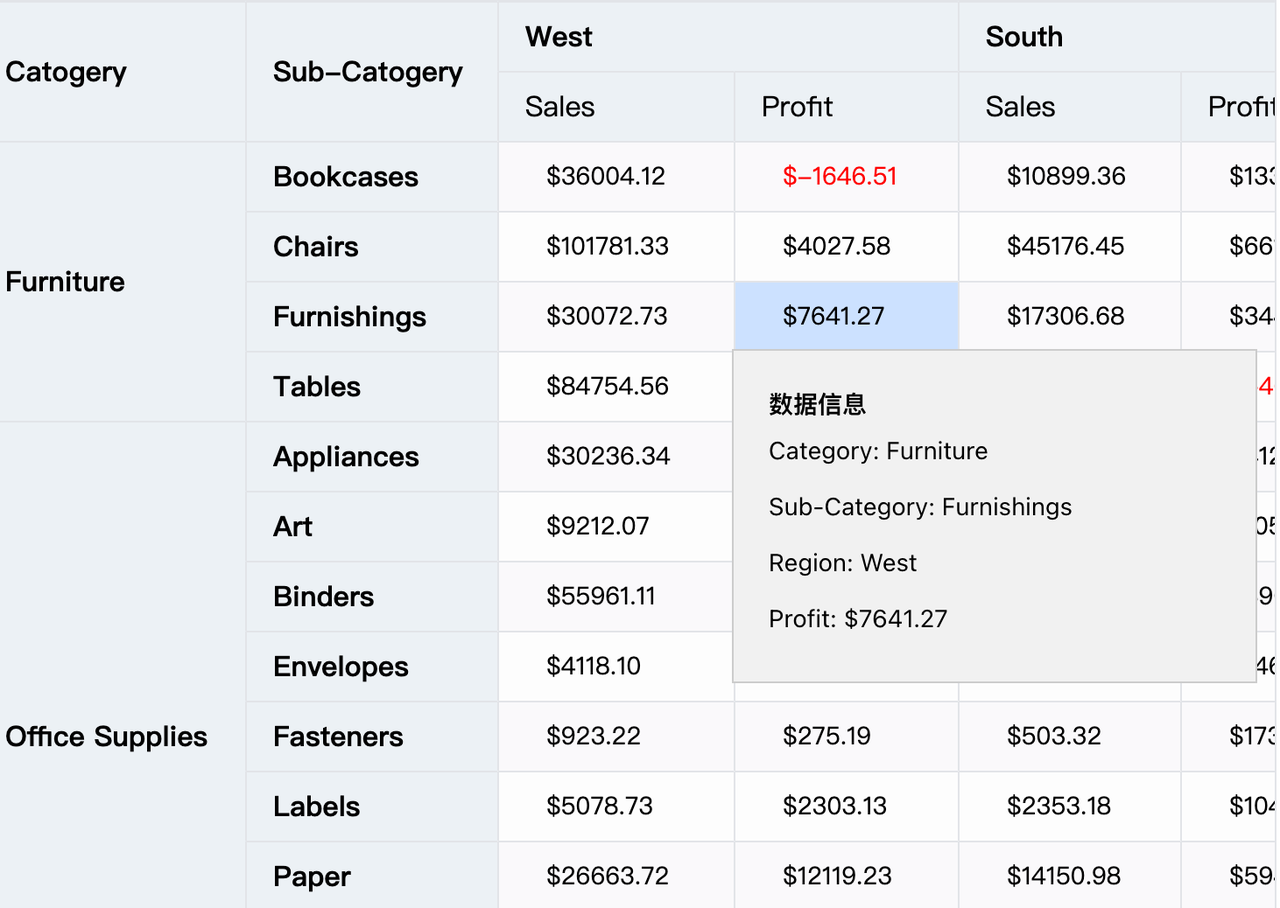
VTable 使用问题:怎么自定义弹出框 tooltip 内容?
问题描述
鼠标 hover 到单元格上时,我想弹出关于这个单元格的上下文信息,并且 tooltip 提示框的样式完全自定义,这个使用 VTable 要怎么实现?
解决方案
提供一种比较灵活的方式:监听 VTable 实例的事件 mouseenter_cell 和 mouseleave_cell 事件,将自定义的 dom 展示和隐藏,并依据 VTable 事件参数中的 cellRange 计算展示 tooltip 的位置。具体可以参考 demo:https://visactor.io/vtable/demo/component/tooltip_custom_content
代码示例
tableInstance.on('mouseenter_cell', args => {
  const { cellRange, col, row } = args;
  showTooltip(cellRange); //yourself function
});
tableInstance.on('mouseleave_cell', args => {
  const { cellRange, col, row } = args;
  hideTooltip(); //yourself function
});
结果展示